


Download Ummy Video Downloader – Free, Secure HD Video & MP3 Downloader for Windows & Mac
Overview
Ummy Video Downloader is a lightweight, two‑click solution that lets you save YouTube, Dailymotion and other popular video‑sharing content as high‑definition MP4, MP3, MKV, FLV, MOV or AVI files. The tool is built for users who need a quick, no‑frills way to create an offline library for presentations, travel entertainment or personal archiving. By simply copying a video URL into the main window, Ummy instantly shows the thumbnail, lets you pick the desired resolution or audio‑only format, and then begins downloading.
The program queues multiple URLs, processes them sequentially, and automatically names each file based on the original title. Because the software focuses on core downloading functions, it consumes minimal system resources and runs smoothly on both Windows 10/11 and macOS Catalina and later. While power users may miss batch‑download accelerators or built‑in video editors, the simplicity of Ummy makes it an ideal choice for students, marketers, and anyone who wants to watch favorite clips without an internet connection.
The interface is uncluttered, the learning curve is essentially zero, and the app stays out of the way once the download queue is complete. Overall, Ummy Video Downloader delivers a secure, fast, and user‑friendly experience for everyday video downloading needs.
Key Features
- One‑click URL paste – download starts automatically after you paste a link.
- Supports MP4, MP3, MKV, FLV, MOV and AVI output formats.
- Resolution selector for video files (360p‑1080p) to control file size.
- Queue system – add multiple URLs and let Ummy download them in order.
- Compatibility with YouTube and Dailymotion (other sites added via updates).
- Lightweight executable – runs on Windows 10/11 and macOS Catalina + with < 50 MB RAM usage.
- Auto‑rename files using original video titles for easy organization.
- Secure HTTPS download engine – ensures data integrity during transfer.
Installation & Usage Instructions
Getting started with Ummy Video Downloader is straightforward. First, download the installer from the official website. During the setup wizard, pay close attention to optional components; uncheck any offers for browser toolbars, third‑party search engines, or additional software bundles. The installer will place a shortcut on your desktop and register the program in the Start menu (Windows) or Applications folder (macOS).
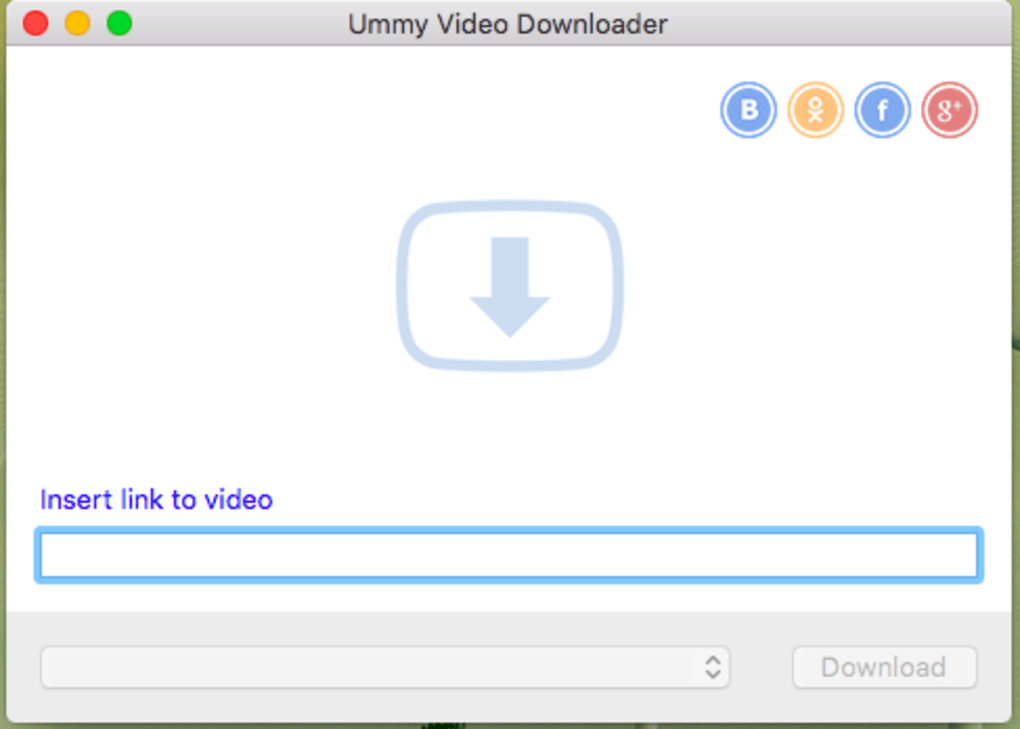
Once installed, launch Ummy. You’ll see a single input field at the top of the window. Copy the YouTube or Dailymotion video URL you wish to save and paste it into the field.
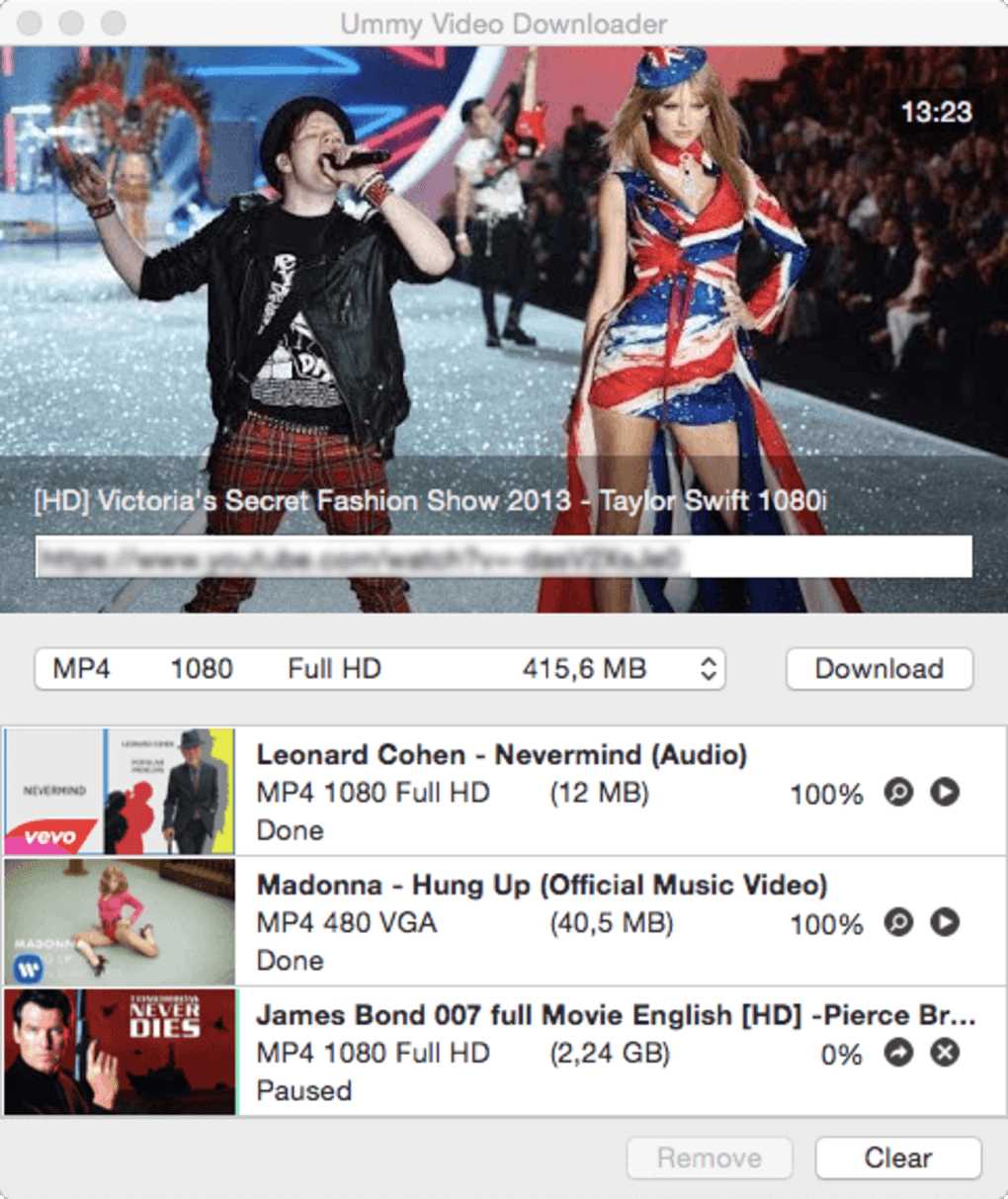
Within a few seconds, the video’s thumbnail appears, confirming that the link was recognized. Below the thumbnail, choose your desired output format from the dropdown menu – MP4 for full video, MP3 for audio‑only, or any of the other supported containers. If you selected a video format, a second dropdown lets you pick the resolution; lower resolutions reduce file size, while 1080p preserves maximum quality.
Click the “Download” button. The program creates a temporary buffer, then writes the file directly to the default download folder (or a custom path you set in Preferences). You can add additional URLs to the queue by pasting them into the same field; each new entry appears in a list beneath the main window, indicating the order of processing. The status bar shows real‑time progress, download speed, and estimated completion time.
When a download finishes, a notification pops up, and the file is ready for playback in any media player. For batch operations, you can export the queue to a text file and re‑import it later, a handy feature for recurring projects such as weekly lecture captures or marketing asset collections.
Compatibility, Pros & Cons
Ummy Video Downloader runs natively on Windows 10, Windows 11, and macOS Catalina (10.15) or later. The installer detects the operating system and provides the appropriate executable, ensuring a smooth installation experience on both platforms. System requirements are modest: a 1 GHz processor, 512 MB RAM, and at least 100 MB of free disk space for the program itself. Because the app is built with a portable core, it can also be run from a USB stick on any compatible computer without needing administrative rights.
Pros
- Extremely easy to use – perfect for beginners.
- Low CPU and memory footprint; runs silently in the background.
- Supports the most common video and audio formats.
- Resolution selector gives control over file size.
- Queue system eliminates the need for manual start‑stop cycles.
- Secure HTTPS downloads protect against tampering.
Cons
- No simultaneous multi‑threaded downloading – large playlists can be time‑consuming.
- Limited to YouTube and Dailymotion; other platforms require separate tools.
- Basic conversion only – advanced format changes need external editors.
- Bundled optional software during installation may confuse some users.
- Lacks built‑in video editing or thumbnail customization features.
Frequently Asked Questions
Is Ummy Video Downloader free or paid?
Ummy offers a fully functional free version that includes all core downloading features. There is also a premium upgrade that removes ads and provides priority support, but the free edition is sufficient for most personal use cases.
Can I download entire YouTube playlists?
The current version only processes one video at a time. To download a playlist, you’ll need to copy each URL individually or use a third‑party playlist extractor to generate a list of links that can be queued sequentially.
Is it safe to download videos from YouTube?
Ummy uses HTTPS connections, so the download process is encrypted and secure. However, you must respect YouTube’s terms of service – only download content you own or have permission to use.
What video resolutions are supported?
Ummy supports common resolutions from 360p up to 1080p for MP4, MOV and AVI outputs. Higher resolutions (4K) are not available in the free version.
Will the installer add unwanted software?
During installation, optional offers appear on separate screens. By unchecking the boxes, you can avoid installing toolbars, search‑engine changes, or other bundled components. The core downloader remains completely functional without them.
Final Verdict & Call to Action
Ummy Video Downloader hits the sweet spot for users who need a fast, uncomplicated way to save YouTube and Dailymotion videos for offline viewing. Its minimalist design, low system impact, and support for the most common file formats make it a reliable companion for students, marketers, and casual viewers alike. While power users may crave batch‑download acceleration and broader site support, the free version provides everything necessary for everyday tasks without the clutter of unnecessary features. If you’re looking for a secure, no‑frills downloader that gets the job done in just two clicks, Ummy is worth a try. Download the latest version today, deselect any optional add‑ons during setup, and start building your offline video library in minutes.
Ready to download? Click the button below to get the free installer for Windows or macOS and enjoy hassle‑free video saving.







